Inside Wayfinding Planner’s Sign Message Engine


Wayfinding Planner’s core model is built around pedestrian flow represented by the path network of the space, making it more than just a static sign schedule. Based on how people move through space and read signs any changes to the wayfinding system are picked up automatically at relevant datums.
Changing sign’s orientation, location, or inserting or removing a path segment, or making changes to destination names triggers automatic recalculation of the routes and regeneration of the affected messages across the whole project.
Under the hood, the software evaluates all possible routes from the decision point where the sign is attached to every reachable destination, selects the shortest viable path and translates it into a corresponding message on sign faces.
See what it practically looks like in the application.
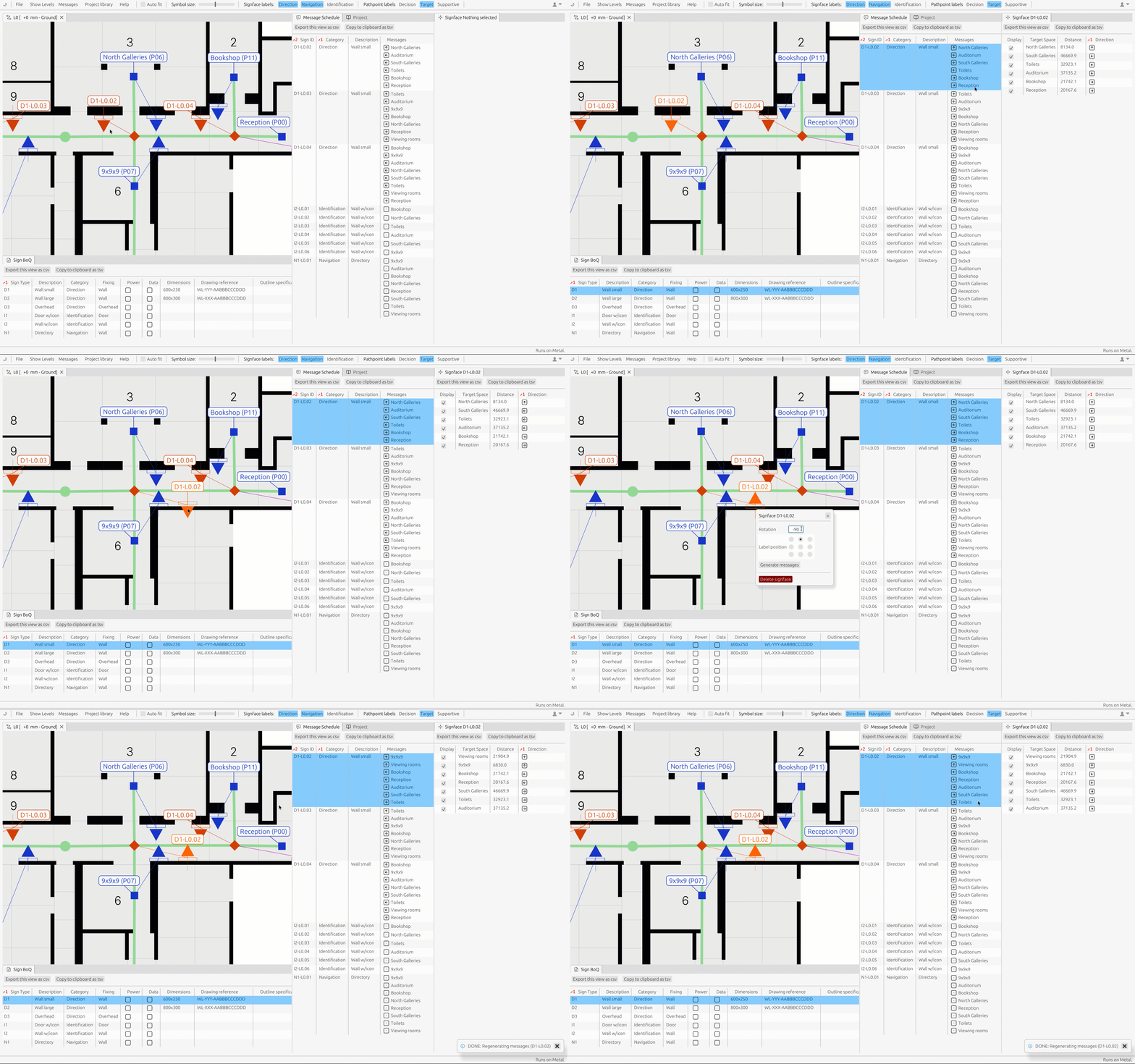
Figure 1. Sign orientation change triggering the message re-generation.
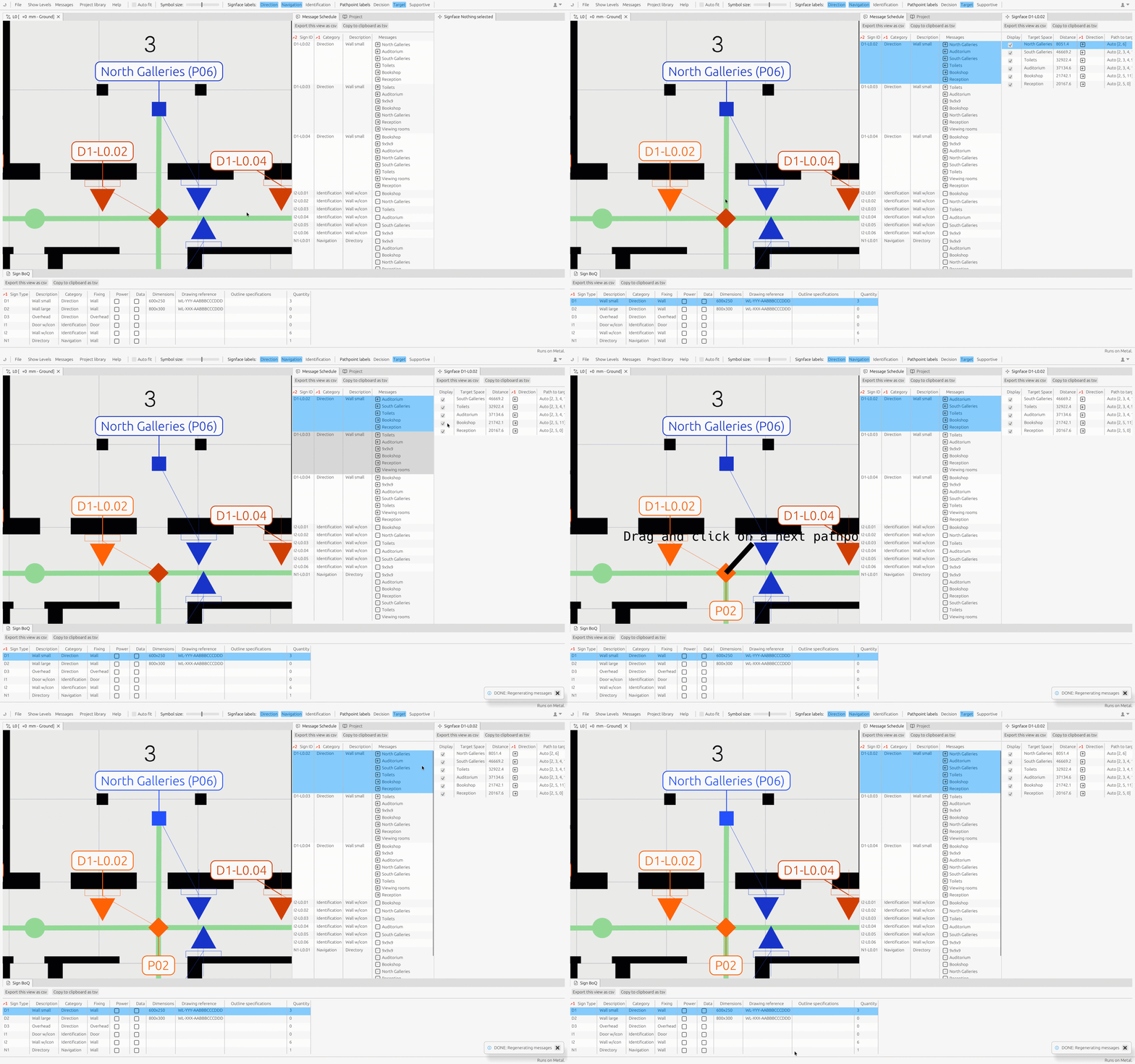
Figure 2. Removal or insertion of a path segment triggering the message re-generation.
Bespoke destinations that are intentionally excluded from the path network, or used as overrides, can be manually added to sign faces, ensuring they are excluded from automatic updates. This flexibility allows designers to maintain control over bespoke elements while still benefiting from a robust, data‑driven workflow. The result is more accurate, efficient, and adaptable wayfinding system that reduces errors and enhances the user experience.
Find out more:
- Visit our home page to get a quick overview.
- Check out our support center to get started quickly.
- Download the native app or open the web version to give it a try.