SIGNAGE PLANNING SIMPLIFIED
Wayfinding Planner
Signage location plans, message and sign type schedules creator application#
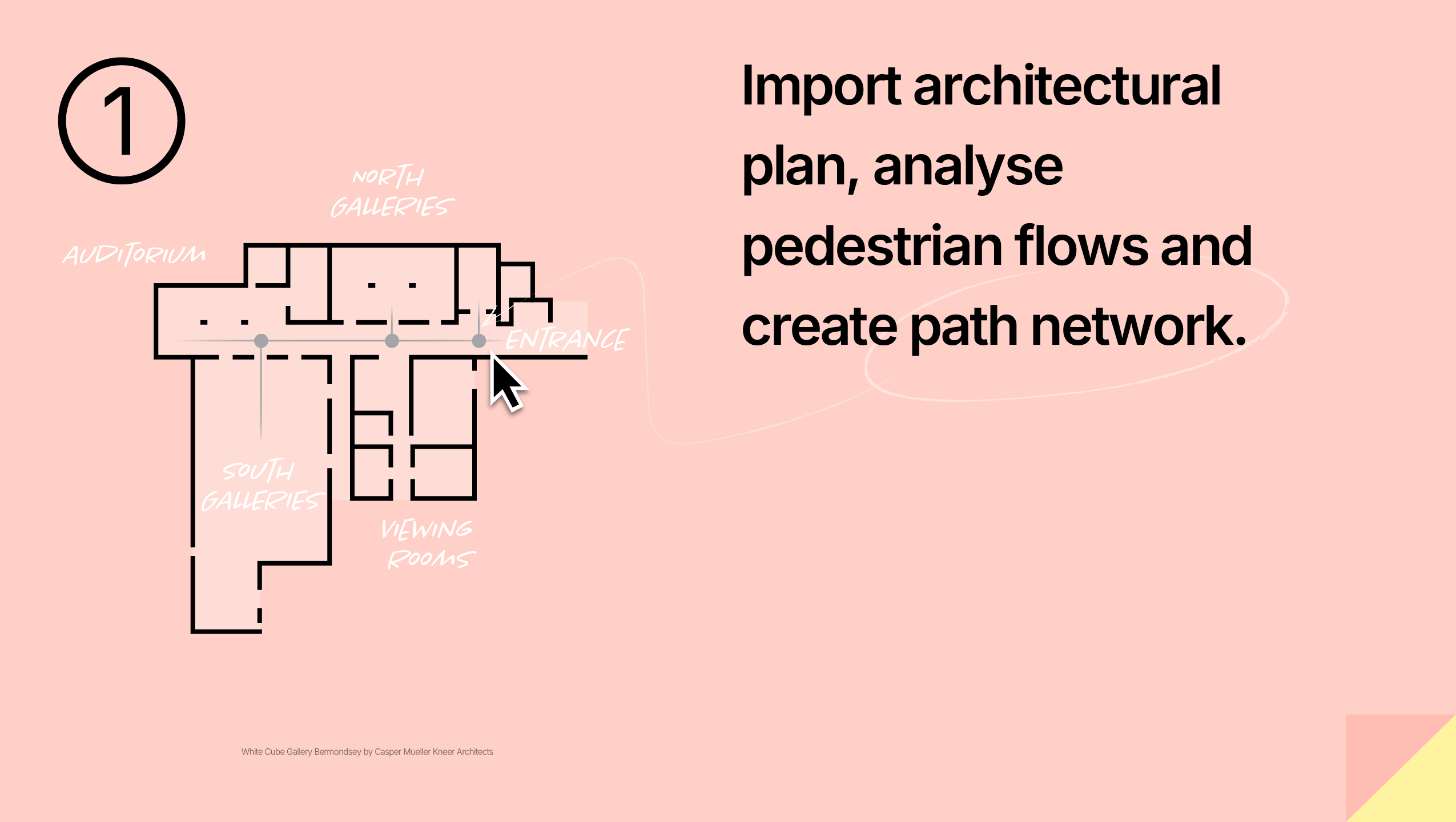
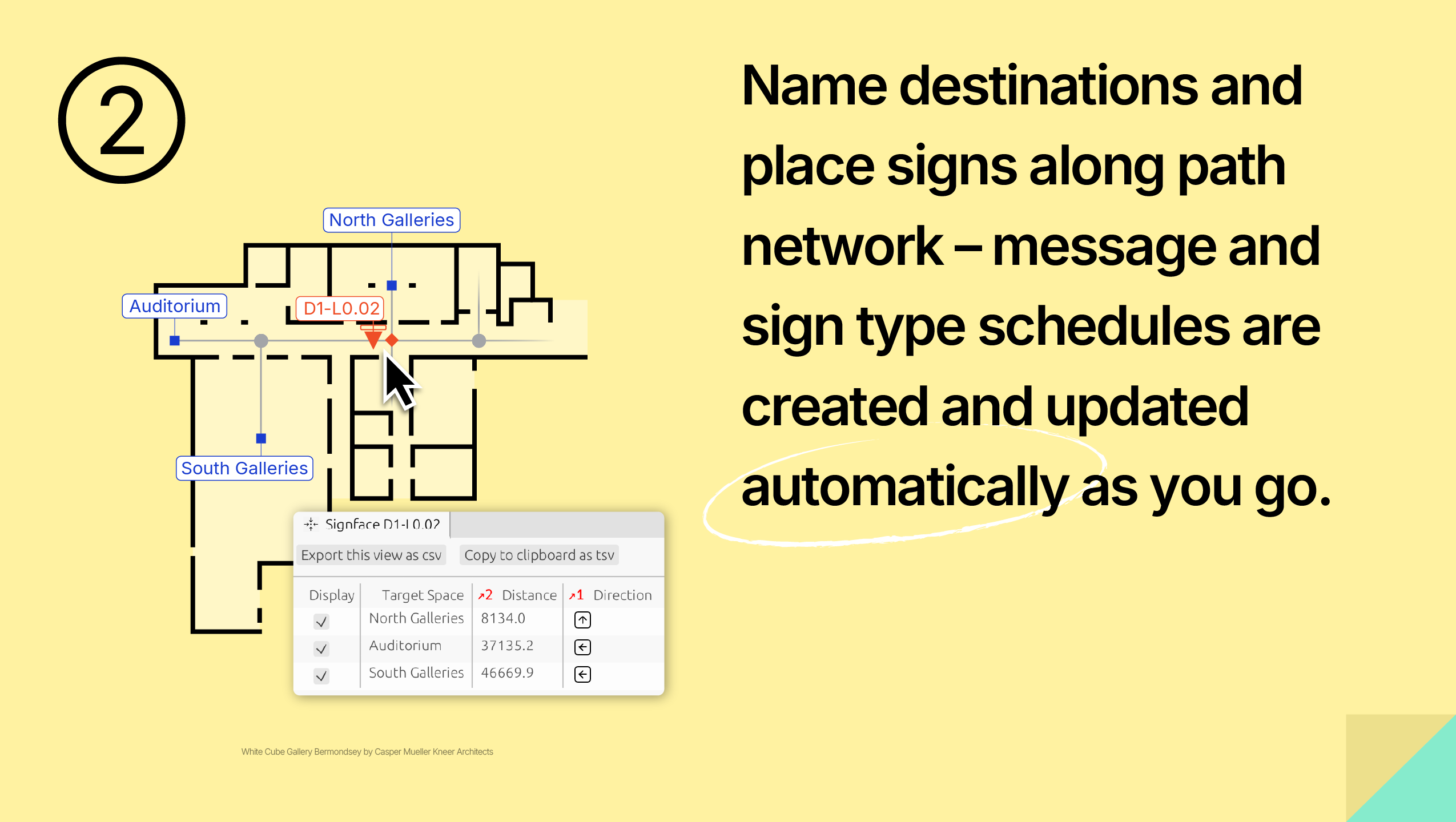
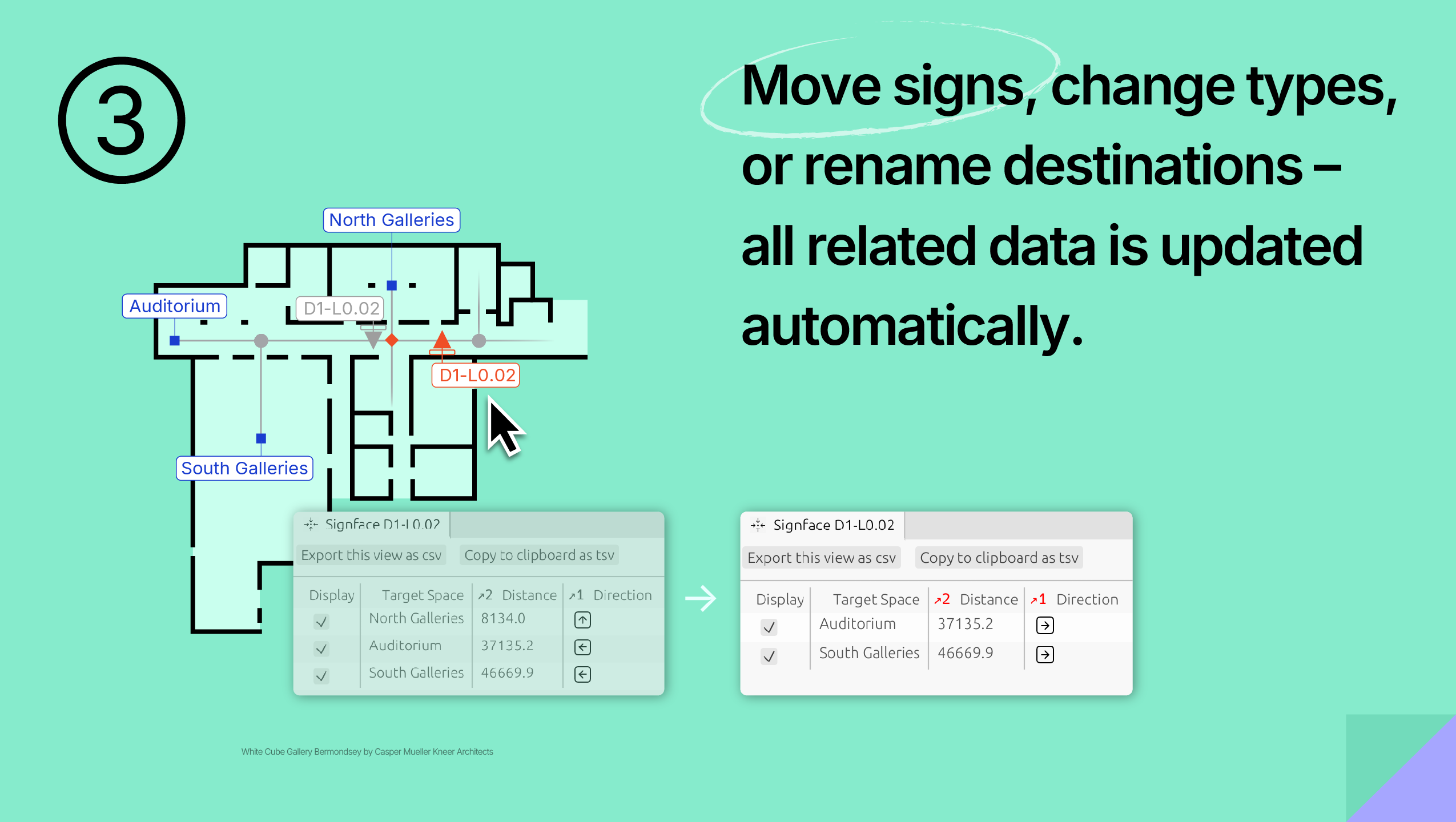
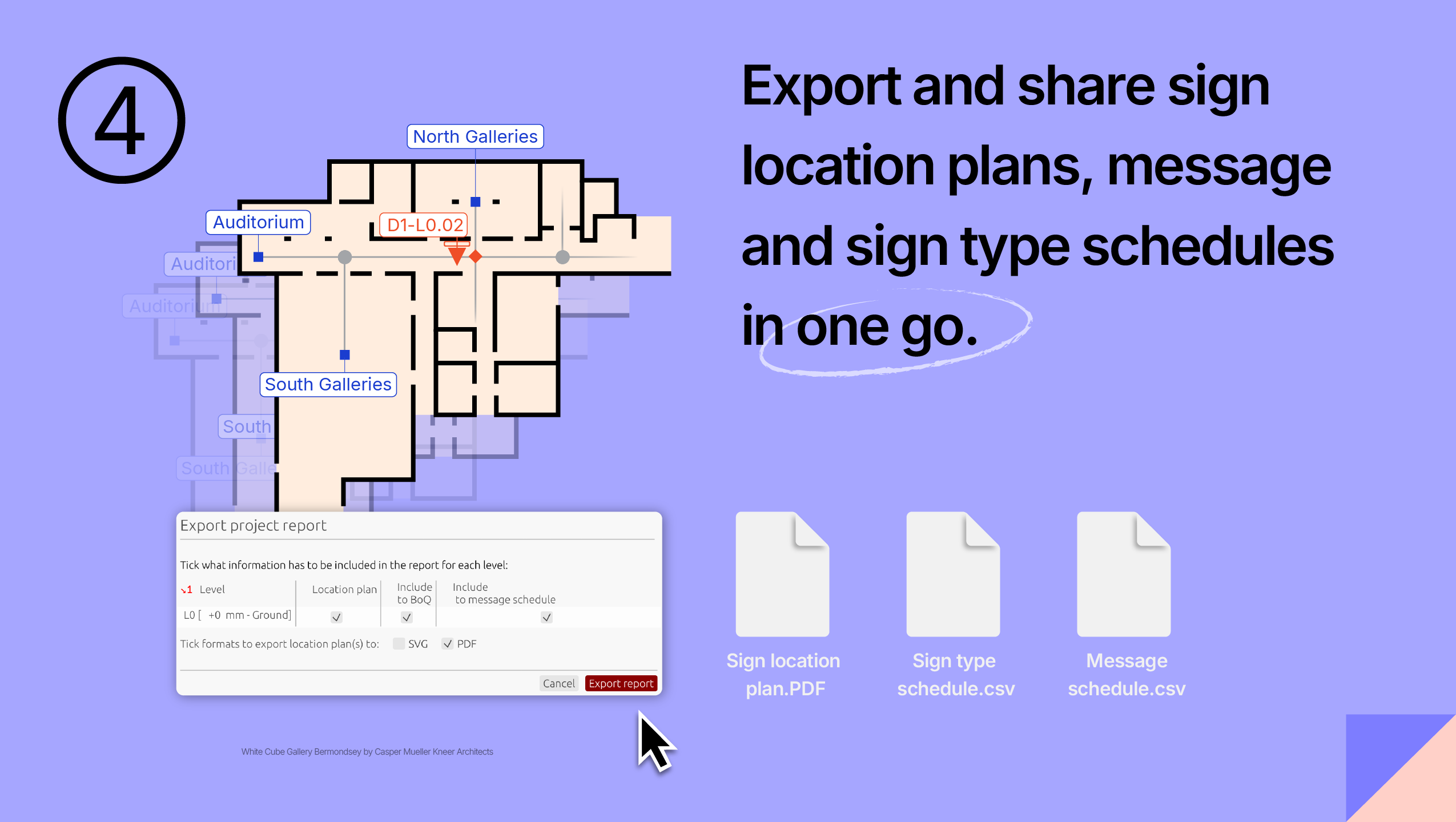
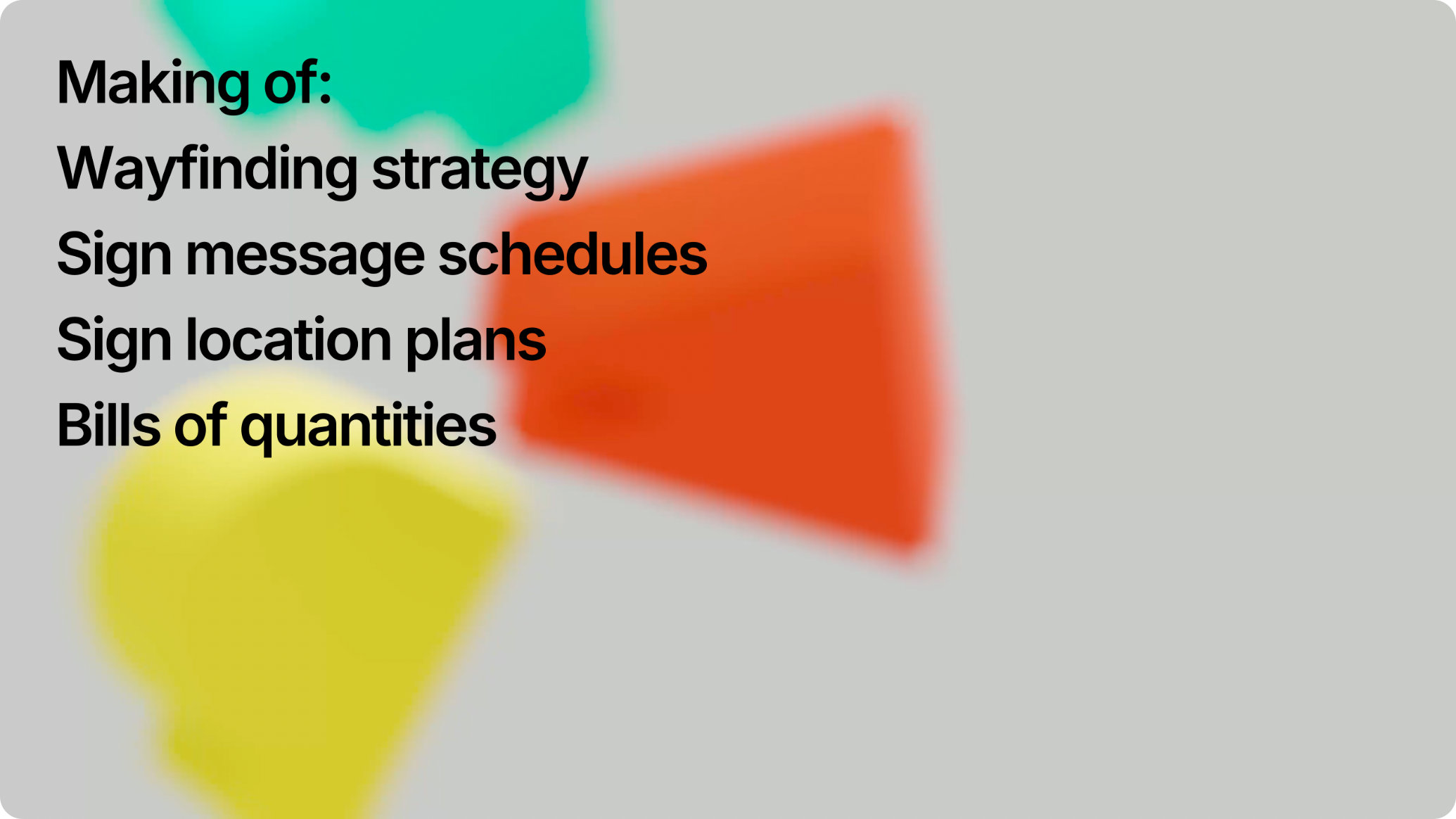
Key features

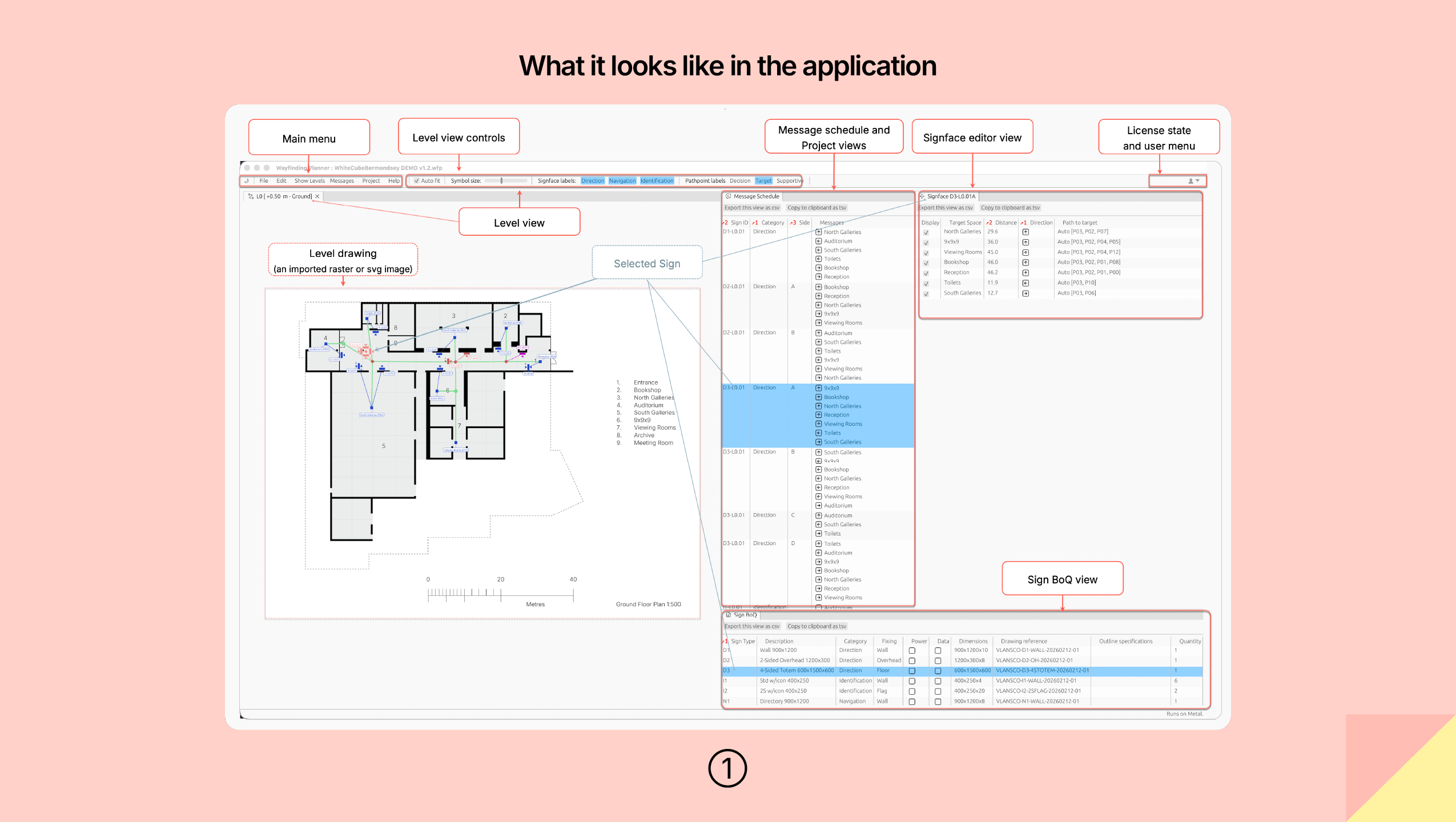
Generate message and sign type schedules
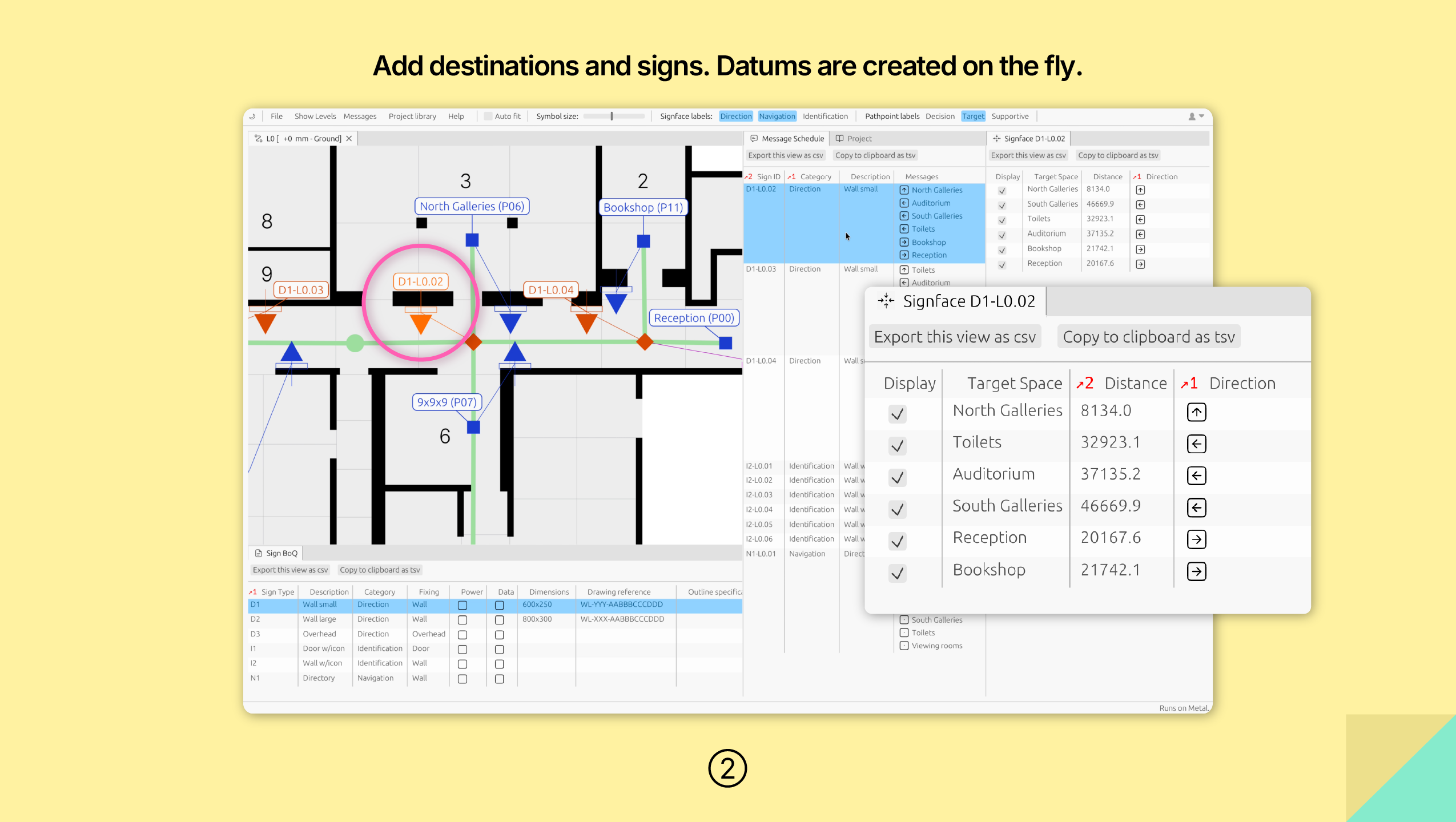
Automatically create message and sign schedules based on your path network and signage layout.

Make changes - effortlessly
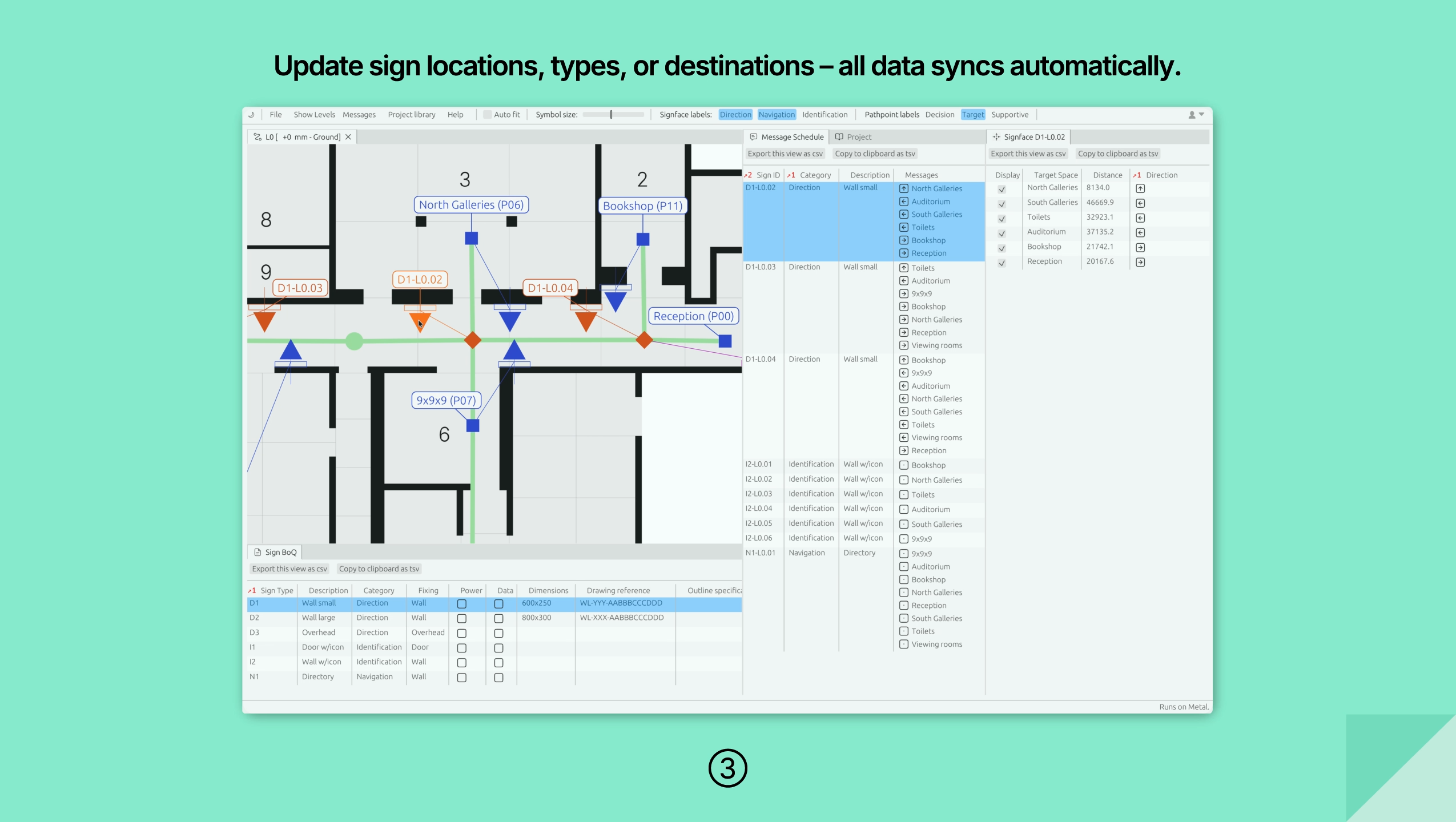
Update any sign, path, or space name and see your entire project adjust instantly.

Your data stays safe
Your project data never leaves your computer - on any platform.

Test your wayfinding strategy
Experiment with various sign types, locations, and quantities to create an optimised navigation system tailored specifically to your project.

Minutes, not hours
Focus on product design and user experience - let the software handle propagation of your changes.

One-click export
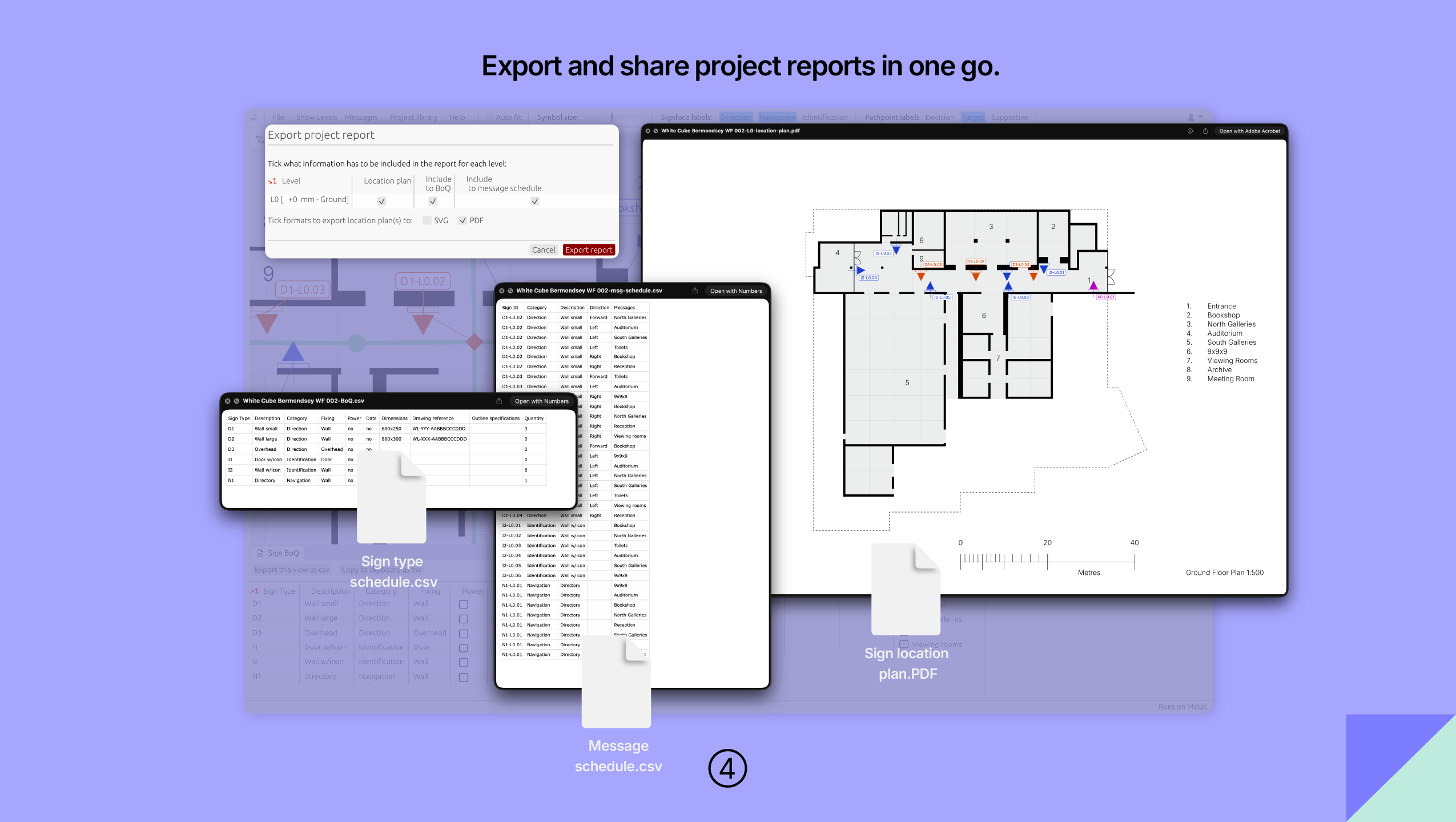
Instantly export your project reports in one complete package - CSV for schedules, PDF and SVG for sign location plans.
macOS, Windows, and Web Apps
// real native apps - no browser in disguise
Insights and Updates
// from our blog

Wayfinding Planner v1.2: multi-sided signs and more
Wayfinding Planner v1.2 introduces custom multi-sided signs, improved selection tools, drag-and-drop project opening, flexible reports, and on-demand sign renumbering

Inside Wayfinding Planner’s Sign Message Engine
Wayfinding Planner’s core model is built around pedestrian flow represented by the path network of the space, thus making it more than just a static sign schedule ...

More time for great ideas, zero risk to existing workflows
Although spreadsheets remain the common language of signage projects, building a wayfinding strategy shouldn’t mean wrestling with endless update tracking or manual dependency fixes ...