Wayfinding Planner v1.3: smarter message generation and more


What’s new#
Wayfinding Planner v1.3 focuses on making generated sign messages clearer, more controlled, and easier to review.
[tl;dr] To see all new and old features in action, check out the refreshed video on our home page or YouTube channel.
Message Generation Layer#
The new Message Generation Layer supports progressive disclosure and sign-capacity-aware message packaging.
WFP can now show broader destination group messages where they make sense, then expand them into more specific destinations as visitors get closer. It also respects sign capacity, so generated messages can better match the physical limits of each sign face or fingerpost, as defined by its sign type.
Destination Dictionary#
The new Destination Dictionary is the project-wide source for destinations and destination groups, their associated messages, and disclosure parameters such as priorities, maximum signing distances, group expansion rules, and active states. When bound to target points, these dictionary entries feed the Message Generation Layer with the data required to fill sign faces with the most relevant content, for both automatic and manual messages.
Each destination or group can store up to three universal message fields. These fields support both numbers and text, as well as Arabic, Chinese, Japanese and Korean character set rendering when required.
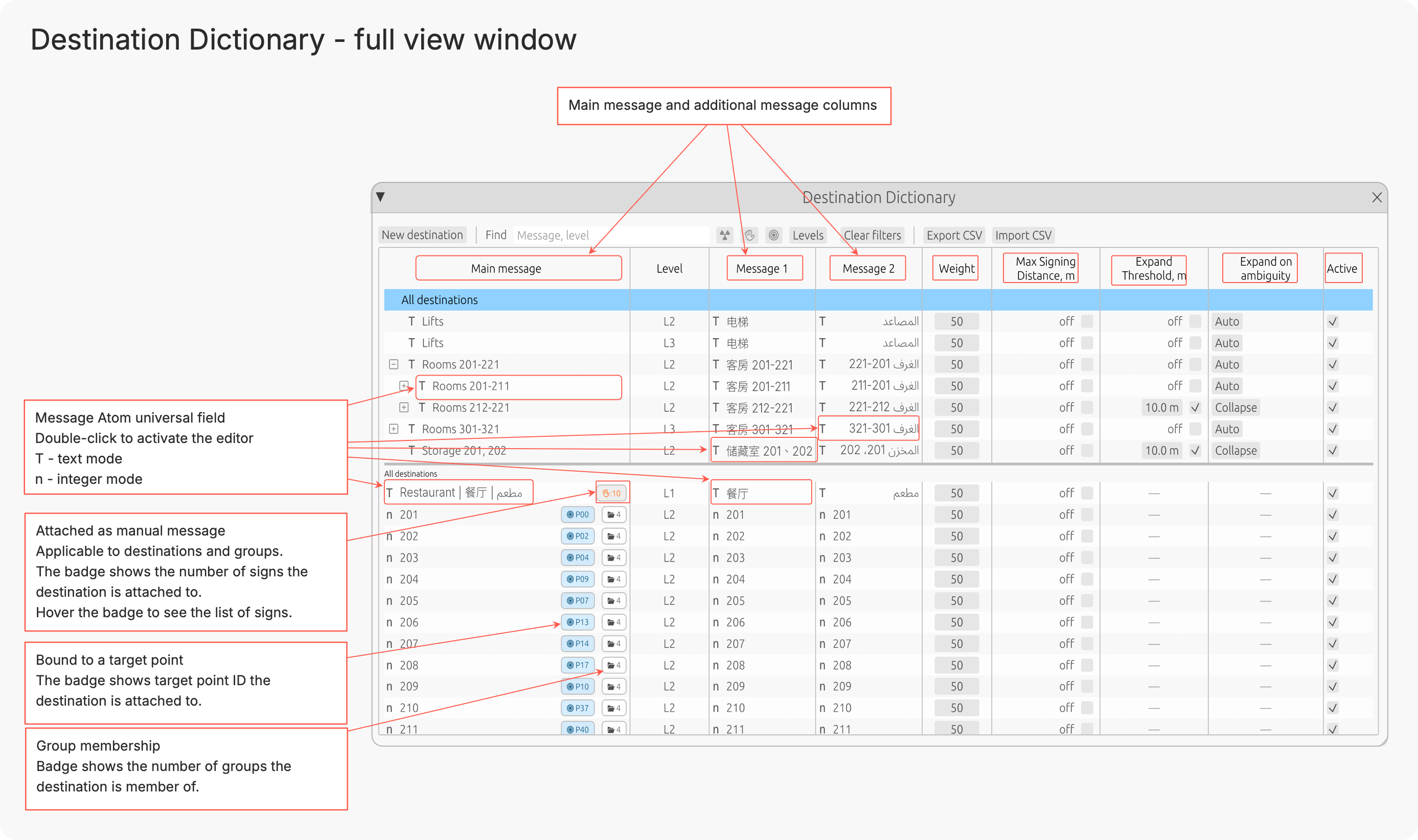
You can create and edit Destination Dictionary data directly in the application, or use CSV files for bulk import/export operations. This allows the Destination Dictionary to be exported, updated externally, and then re-imported with updated data at any time.
Inspectors and message appearance tuning#
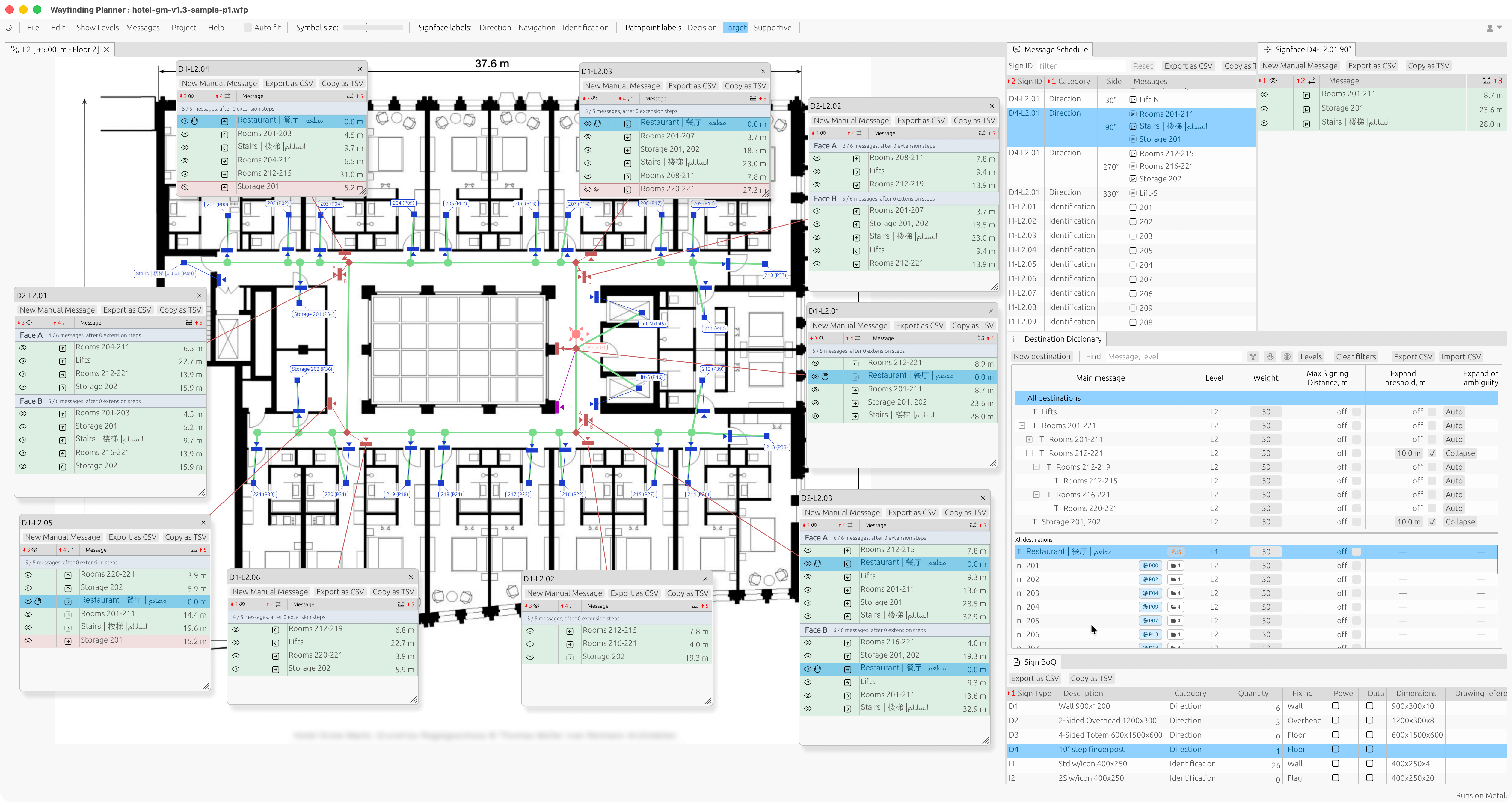
WFP v1.3 adds sign-focused and target-focused inspectors for faster message analysis and tuning.
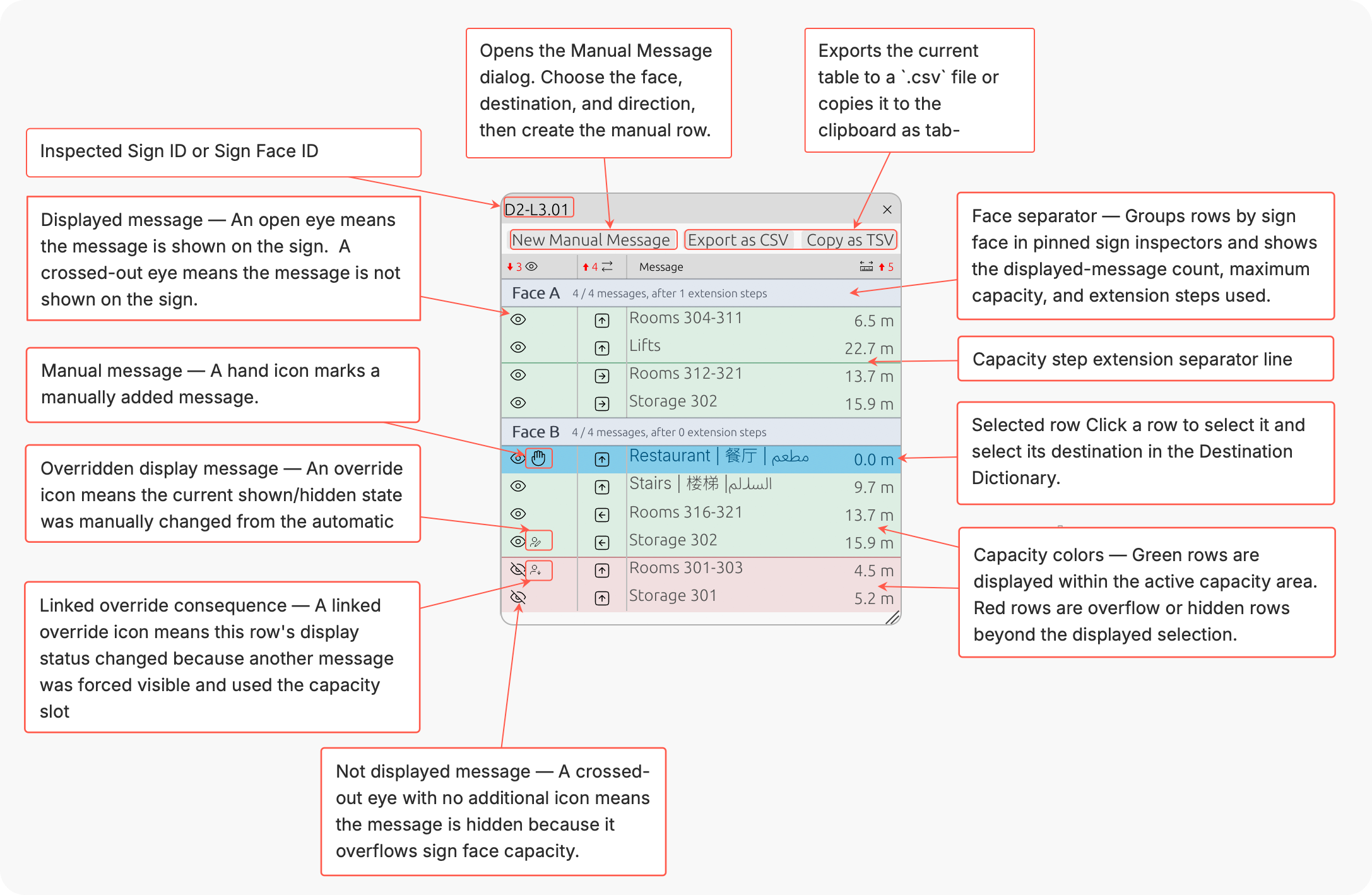
Use them to review which signs point to a destination, why a message appears on a sign, and how routes and groups are being used. Route and group highlights, together with message visibility controls, make it easier to fine-tune the final sign schedule without losing the context behind each generated or manual message.
Other useful updates#
This release also includes several workflow improvements:
- Change an existing sign to another compatible sign type without recreating it.
- Align and distribute selected objects horizontally or vertically in the Level View.
- Clone levels with destination message transforms, including numeric offsets and text prefixes.
- New Fingerpost sign type, which is a multi-face sign that dynamically generates its faces from the path network topology around the decision point it is attached to.
Getting started with v1.3#
#Existing users
Existing users can update by downloading and installing v1.3.
Previous project file versions are migrated to v1.3 automatically.
If you are updating an active project, we recommend backing it up before moving to the new release.
#New to Wayfinding Planner?
If you are new to Wayfinding Planner, v1.3 is a strong place to start. You can build a path network, bind destinations, generate sign messages, review routes, and export sign location plans, message schedules, and sign Bills of Quantities from one application.
Find out more:
- Visit our home page for a quick overview.
- Check out our support center to get started faster.
- Download macOS or Windows bundle or open the web version to give it a try.